

Table of Contents
A home office can look organized in a photograph and still be frustrating to use every day. The desk may be too small for your equipment, the chair may leave you uncomfortable, storage may be difficult to reach, or cables may gradually take over the workspace. These problems usually appear when the room is designed around furniture and appearance before the work itself is considered. Understanding how to create a functional home office means starting from daily tasks, not simply choosing furniture that looks appealing.
Learning how to create a functional home office starts with a different approach: identify what you actually do at the desk, then build the space around those activities. A functional workspace should make common tasks easier, keep frequently used items accessible, support comfortable computer use, and give work equipment a defined place. Current home-office guidance similarly emphasizes combining the desk, chair, monitor, storage, lighting, and surrounding environment rather than treating them as isolated purchases.
How to Create a Functional Home Office From the Ground Up
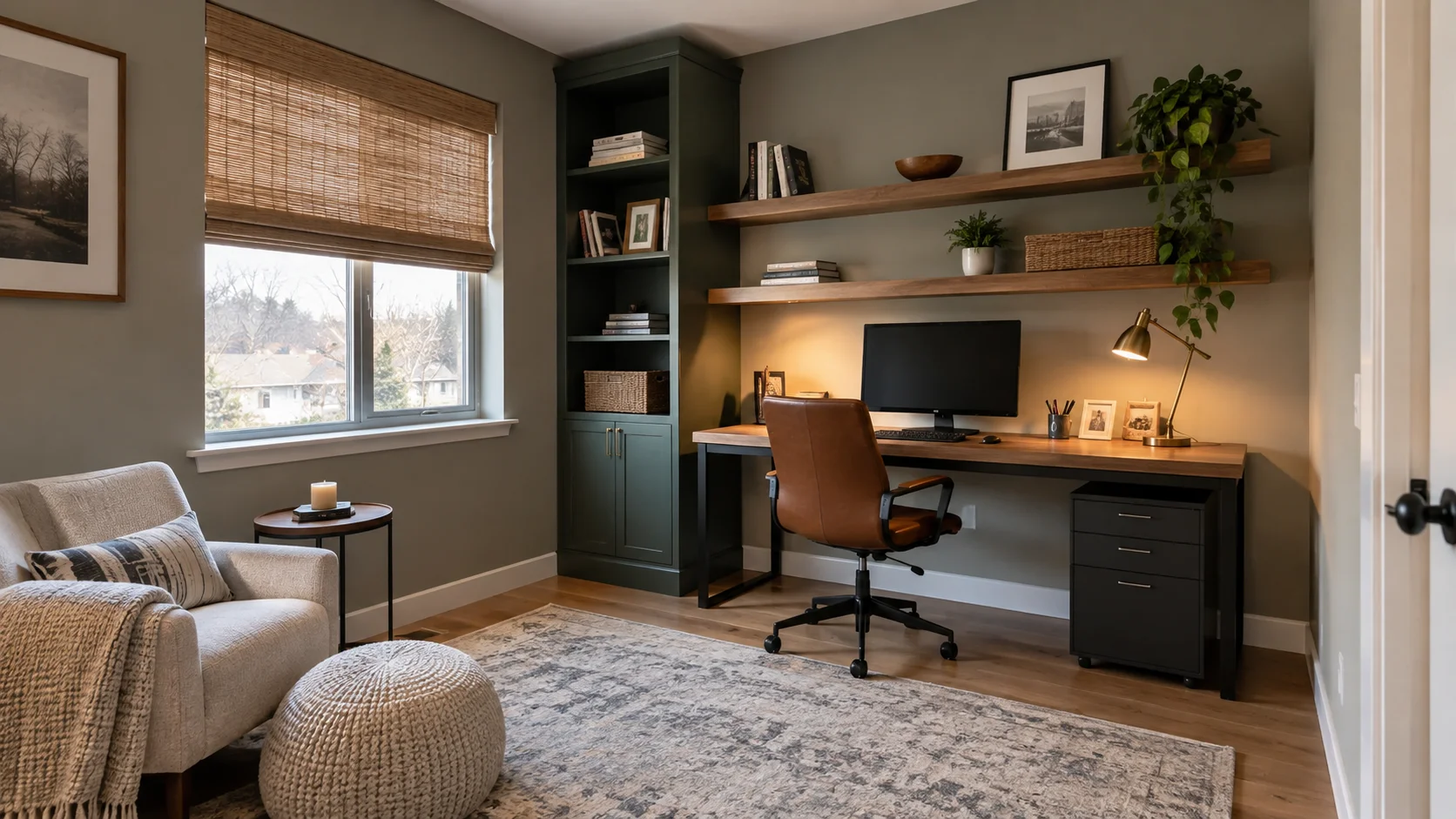
The first step is to stop thinking about your office as a collection of objects. Think about the sequence of your typical workday instead. You might begin with email, move to focused computer work, take video calls, write notes, print documents, and finish by putting equipment away. The best layout reduces unnecessary movement between these tasks and keeps the things you use most within easy reach.
A functional home office also needs to work within the limitations of your home. You may have an entire spare room, a bedroom corner, a section of the living room, or a converted closet. You do not necessarily need a dedicated room; you need a clearly defined work zone that can accommodate your essential activities without interfering with normal household movement.
Define What Your Home Office Needs to Do
Before buying furniture, make a short list of everything you expect to do in the space. A laptop-only worker has different requirements from someone who uses two monitors, keeps paperwork nearby, takes frequent calls, or needs room for creative projects. Ranking activities by frequency prevents occasional tasks from taking over the entire office.
Start with these questions:
- What work will I do here every day?
- Which equipment must remain on the desk?
- Do I regularly write, read, print, or handle paperwork?
- How often will I take video or phone calls?
- Do I need private storage for documents or equipment?
- Will anyone else regularly use this workspace?
This exercise gives you a functional brief for the room. If laptop work is your only essential activity, you may not need a large executive desk. If your work involves multiple screens, paperwork, and accessories, the additional surface and storage become more important. Planning from actual activities also prevents you from filling the room with furniture that looks useful but rarely serves a purpose.
Choose the Right Location for Your Functional Home Office
Choose the quietest practical location rather than automatically choosing the largest available area. A spare room is useful, but a well-planned corner of a bedroom or living room can work if it gives you enough room for the desk, chair, equipment, and movement around the workspace. In shared rooms, define the office visually so that work materials do not gradually spread into the rest of the room.
Pay attention to windows, doors, household traffic, and nearby noise. A desk directly beside a busy walkway can create constant interruptions, while a position facing a bright window may create screen glare. OSHA recommends arranging computer monitors perpendicular to windows and other strong light sources to reduce reflected glare.
Plan the Desk and Furniture Around Your Work
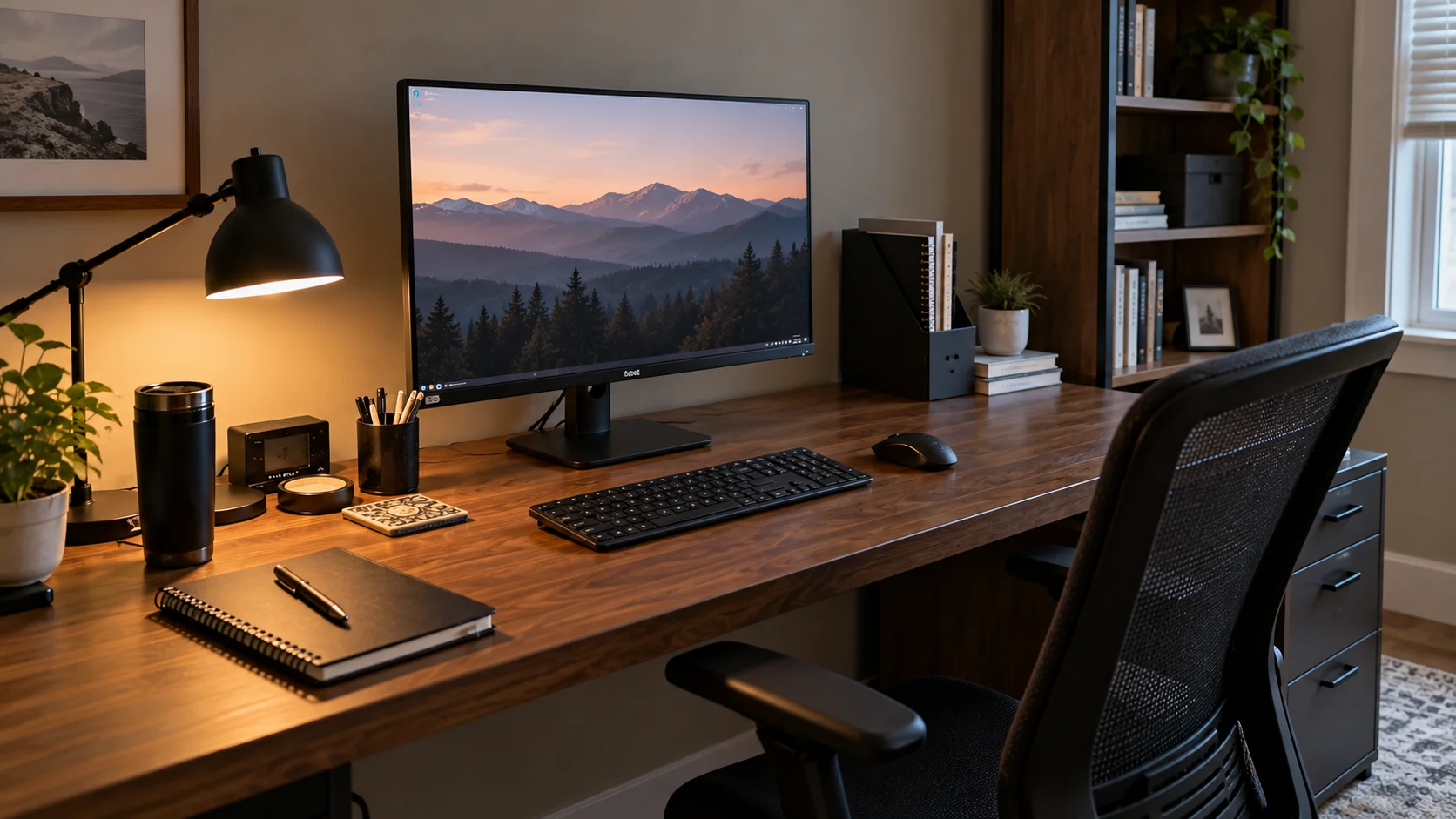
The desk should provide enough usable surface for your essential equipment without overwhelming the room. Think beyond the desktop’s overall dimensions: consider where the monitor, keyboard, mouse, notebook, lamp, and other frequently used objects will actually sit. You also need enough clearance underneath for your legs and enough surrounding space to move comfortably.
Choose other furniture according to function rather than appearance. A drawer unit can keep supplies close without occupying the desktop, while vertical shelving can provide storage when floor space is limited. In a small office, wall-mounted or foldable furniture can recover floor space, while a corner desk can sometimes provide additional working depth without requiring a large central footprint.
Build an Ergonomic Workstation
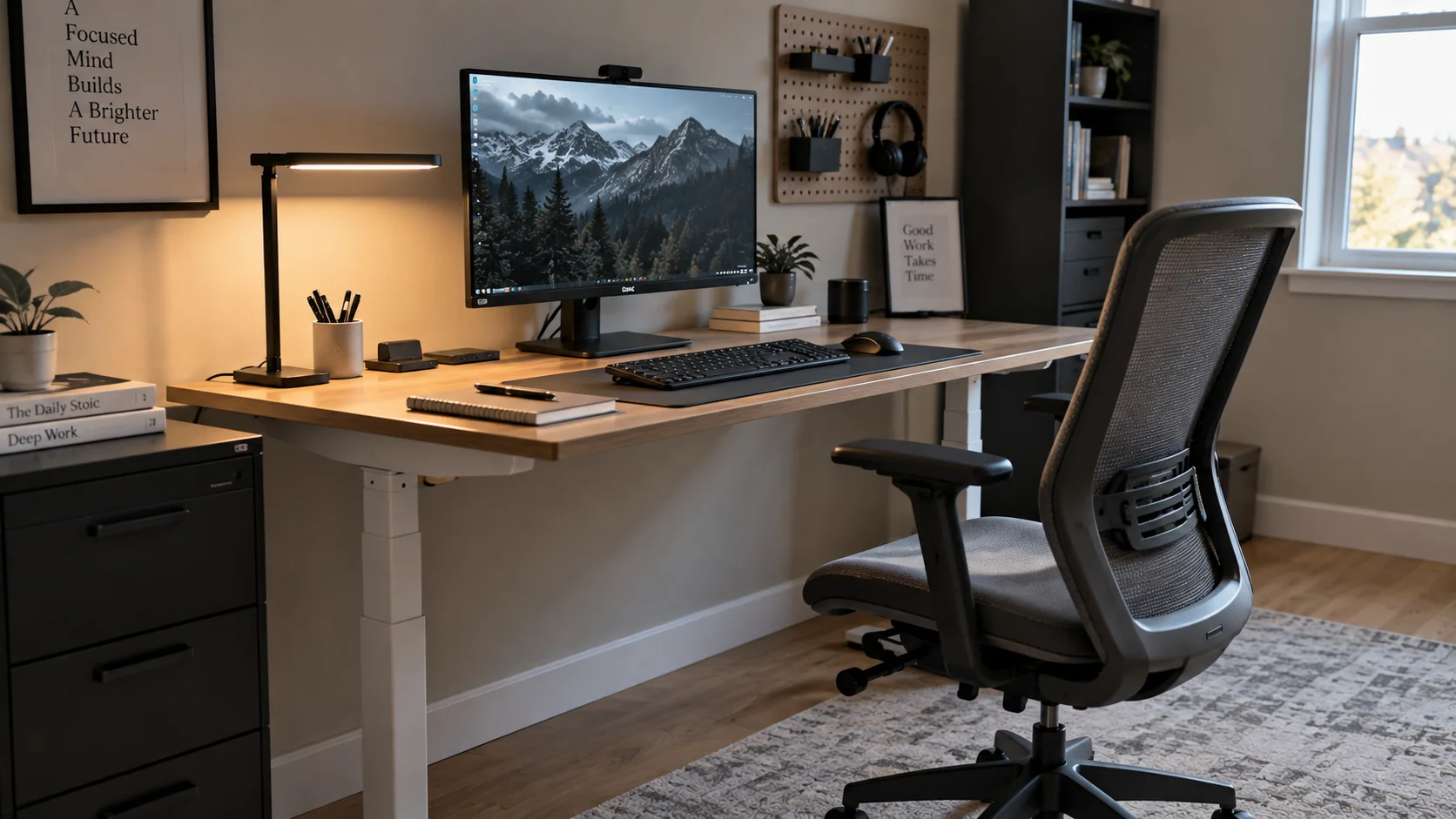
A functional office needs to support your body as well as your workflow. The chair, desk, monitor, keyboard, and mouse should be considered as one workstation because changing one element can affect the position of the others. OSHA’s workstation guidance recommends keeping the head and neck aligned with the torso, shoulders relaxed, elbows close to the body, wrists aligned with the forearms, and feet supported.
Use these setup checks when adjusting your workstation:
- Keep the monitor directly in front of you.
- Position the top of the monitor at or slightly below eye level.
- Keep the keyboard and mouse close enough that you do not need to reach forward.
- Adjust the chair so your back and feet are properly supported.
- Keep your shoulders relaxed rather than raised toward the keyboard.
For a laptop used as a primary work computer, ergonomics can become more difficult because the screen and keyboard are attached. OSHA notes that extended laptop work may require an auxiliary keyboard and monitor to achieve a more suitable workstation arrangement.
Create Functional Home Office Storage
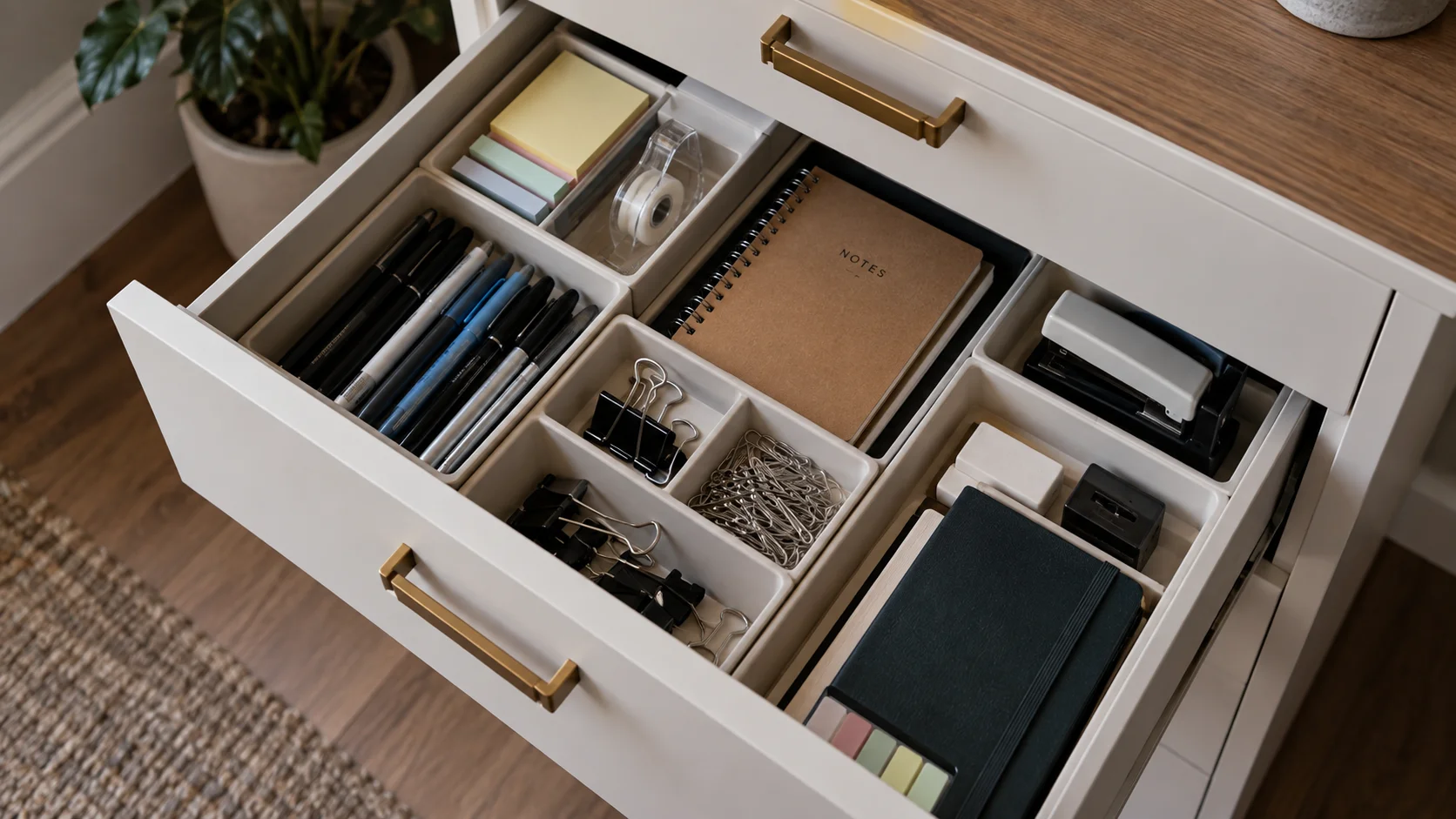
Storage should follow frequency of use. Items you reach for throughout the day should be close to the desk, while occasional supplies can occupy higher shelves, drawers, or less accessible areas. This simple distinction prevents the common mistake of putting everything into attractive containers and then having to search through them whenever you need something.
Use the space you already have before buying additional organizers. A drawer can hold stationery, a shelf can hold reference materials, and a cabinet can contain paperwork or equipment that does not need to remain visible. In a small office, vertical storage, wall shelves, and narrow cabinets can increase capacity without consuming as much floor area.
Improve Lighting and Reduce Screen Glare
Lighting should support both screen work and non-screen tasks. Natural light can make a workspace more pleasant, but uncontrolled daylight can create reflections that make a monitor harder to see. Instead of placing the desk wherever the window looks best, consider the direction of the light and how it interacts with your screen throughout the day.
A task lamp can provide focused illumination for writing or reading while the surrounding room remains comfortably lit. OSHA recommends arranging lighting to minimize glare and positioning the display at right angles to windows where possible. Blinds, curtains, diffusers, and indirect lighting can also help control excessive brightness.
Organize Cables, Devices, and Power
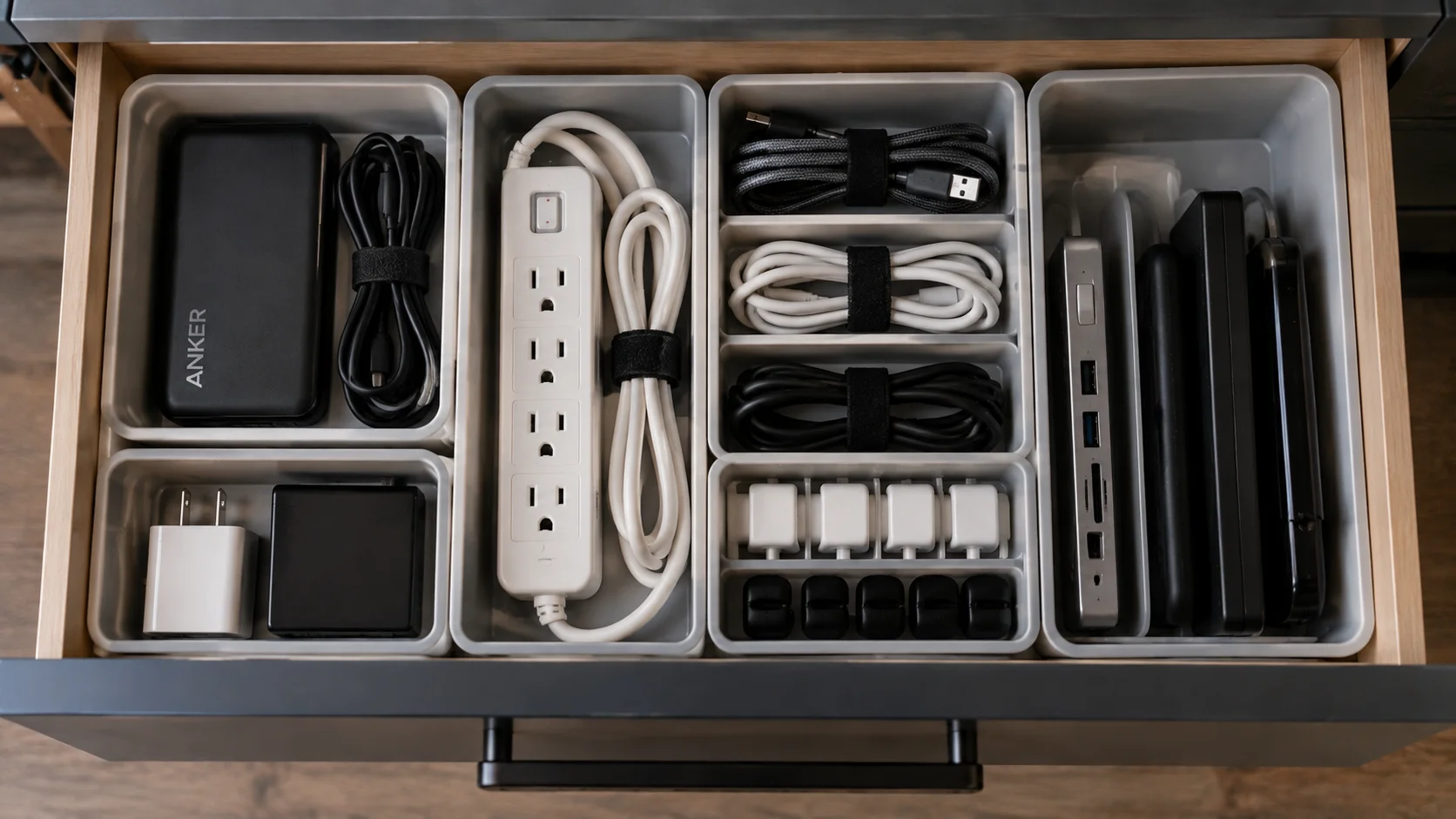
Technology can quickly make an organized office look messy. Start by deciding where each device normally lives rather than allowing chargers, adapters, headphones, and cables to accumulate wherever they were last used. Keep frequently connected equipment close to the power source and route cables so they do not cross the main working or walking area.
A simple cable system can include:
- One defined charging area.
- Clips or sleeves to keep cables together.
- A designated location for spare chargers.
- A power strip positioned where it remains accessible.
- A small storage location for rarely used adapters.
The goal is not to hide every cable at any cost. It is to make the system understandable and easy to maintain. If disconnecting and reconnecting equipment becomes unnecessarily complicated, the system will probably deteriorate over time.
Design for Privacy and Fewer Distractions
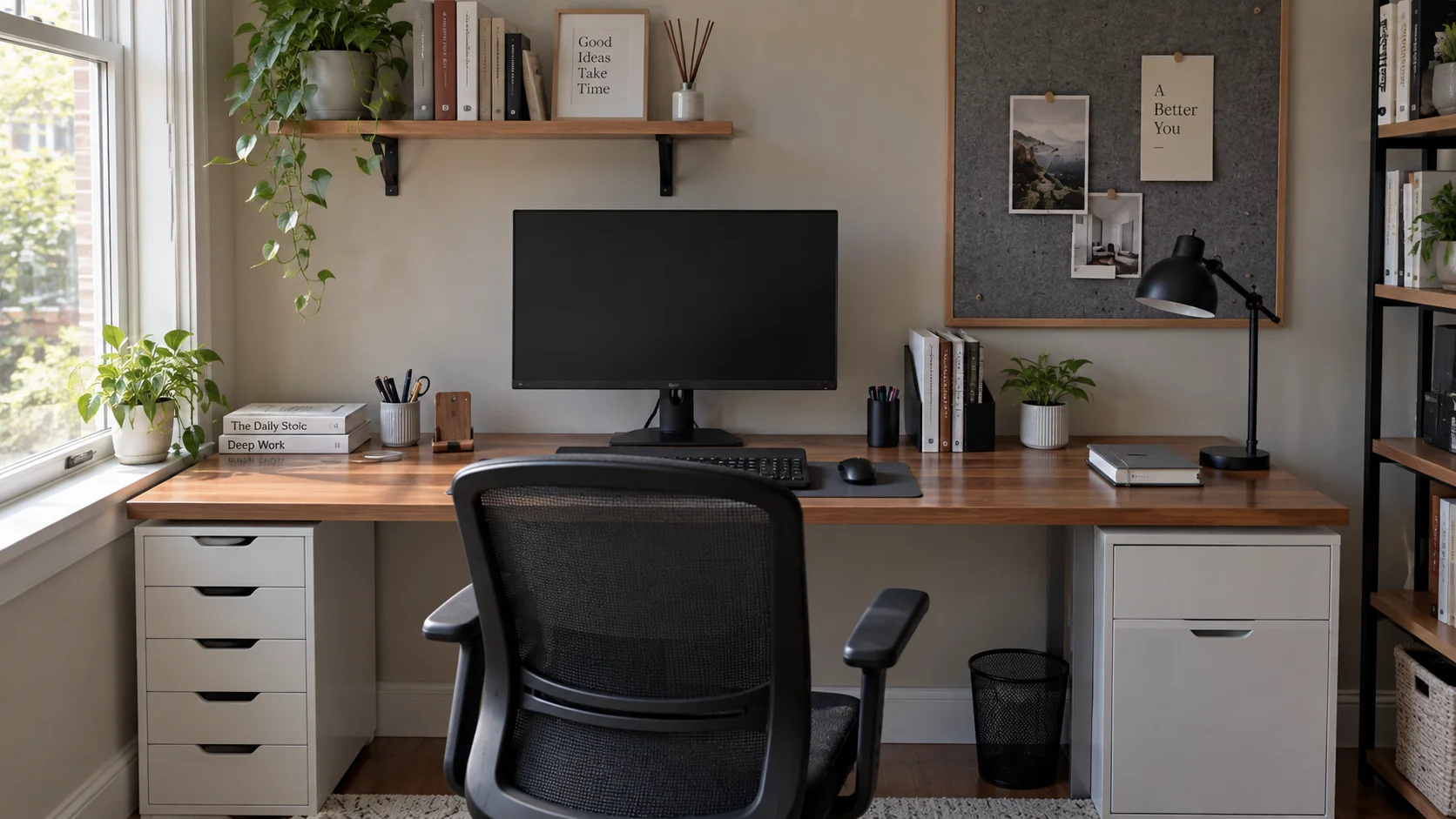
A home office has to compete with the normal activity of the household. Phones, television, conversations, household chores, and visible clutter can all interrupt focused work. You cannot eliminate every distraction, but you can reduce the number of unnecessary signals competing for your attention.
Think about what is directly visible from the chair. If the television, laundry, kitchen activity, or household storage is constantly in your line of sight, even a well-organized desk may not feel like a dedicated workspace. In shared rooms, a screen, curtain, bookshelf, or strategically positioned furniture can help establish a visual boundary without requiring a permanent wall.
Make a Small or Shared Home Office Functional
Knowing how to create a functional home office in limited square footage starts with a simple rule: prioritize function per square foot. Rather than trying to recreate a full-size corporate office, identify the minimum workspace needed for your actual tasks. A slim desk, corner workstation, wall-mounted surface, fold-down desk, or converted closet can work when it provides the right combination of surface area, seating, storage, and access. Current small-office design guidance frequently recommends vertical storage and flexible furniture for exactly this reason.
Use these small-space principles:
- Use wall height for storage instead of adding unnecessary floor furniture.
- Choose furniture that serves more than one purpose when appropriate.
- Keep the desktop limited to items you actually use.
- Use closed storage for visually distracting supplies.
- Preserve the main walking path through the room.
A shared office also benefits from clear boundaries. If the workspace doubles as a guest room or living area, choose furniture that can be closed, folded, moved, or visually separated when work is finished. The objective is not to make the office disappear completely; it is to prevent office equipment from taking over the rest of the room.
Add Personal Style Without Creating Clutter
Once the functional foundation works, introduce personality through a controlled number of decorative elements. Artwork, plants, photographs, a rug, or coordinated accessories can make the workspace feel connected to the rest of the home without interfering with the work surface. The important distinction is that decoration should occupy intentionally selected areas rather than every available surface.
Consider visual balance as you decorate. Open shelves create display opportunities but also expose everything stored on them, while closed cabinets hide visual clutter but make contents less immediately visible. A restrained combination of open and closed storage can provide both accessibility and visual calm. IKEA similarly recommends coordinating the office with the surrounding home’s colors and materials when the workspace is integrated into another room.
Create a Simple System for Maintaining the Office
Even the best-designed home office will become disorganized if there is no system for putting things back. Create a small end-of-work routine that returns the desk to its normal state. Files should return to their designated location, cups and unrelated household items should leave the workspace, and loose cables should return to their charging area.
A weekly reset can address the problems that accumulate more slowly. Review paperwork, remove unnecessary items, clear the desktop, check supplies, and reconsider anything that repeatedly ends up in the wrong place. If the same object keeps creating clutter, the solution may not be better discipline; the object may simply need a more convenient storage location.
Quick Recap: How to Create a Functional Home Office
If you only take away a few points, focus on these fundamentals for building a workspace that holds up over time:
- List your real daily tasks before choosing furniture.
- Pick the quietest practical spot, not just the biggest one.
- Build an ergonomic setup around the chair, desk, and monitor together.
- Match storage to how often you actually use each item.
- Control lighting and glare instead of relying on decoration alone.
- Keep cables organized with one defined charging area.
- Add a simple daily and weekly reset routine to maintain the system.
Working through these steps in order is the most reliable way to learn how to create a functional home office, whether you have a full spare room or just a small corner to work with.
FAQ
A functional home office supports the activities you actually perform, provides an appropriate work surface and seating, keeps essential supplies accessible, manages technology effectively, and reduces unnecessary distractions. Ergonomics, lighting, storage, and room layout all contribute to how well the workspace works.
It does not have to be expensive or occupy an entire room. A compact workspace can be functional when furniture, equipment, storage, and movement are planned around the user’s real needs rather than copied from a larger office.
No. A dedicated room can provide more privacy, but it is not essential. A defined workspace in a bedroom, living room, closet, hallway nook, or other suitable area can work if it provides adequate space for the necessary activities.
The more important issue is whether the location supports your work. A small, clearly defined zone can be more useful than an entire room filled with unsuitable furniture or household storage.
Consider natural light, screen glare, room traffic, access to power, and the direction of your work. Avoid positions that force you to look awkwardly to one side for long periods or place bright light directly onto the screen. OSHA recommends positioning monitors perpendicular to windows to help control glare.
Also consider what appears behind you during video calls. A clean wall, organized shelving, or intentional background can make the workspace feel more controlled without requiring elaborate decoration.
Start by reducing the amount of furniture you need rather than trying to squeeze full-size office furniture into a small room. Use vertical storage, compact desks, corner layouts, wall-mounted surfaces, and multifunctional furniture where they genuinely improve the space.
Keep the desktop focused on current work and move occasional supplies into drawers, cabinets, or higher storage. Maintaining clear movement around the chair is just as important as maximizing storage capacity.
If you are wondering how to create a functional home office from scratch, start by prioritizing the work surface, chair, computer setup, lighting, storage, and room layout before decorative accessories. Your most important purchases should solve actual problems rather than simply make the room look like an office.
Ergonomics should also be addressed early because the chair, desk, monitor, keyboard, and mouse need to work together. A visually attractive office that forces awkward positioning is not a truly functional workspace.
Give frequently used items convenient homes and return them after use. Keep paperwork, cables, stationery, technology accessories, and other supplies in clearly defined categories rather than creating one general storage area.
A short daily reset and a more thorough weekly review are usually easier to maintain than waiting until the office becomes significantly cluttered. If an item repeatedly ends up on the desk, reconsider where it is stored and whether that location is convenient enough.
Love inspiring interiors, practical design ideas, and beautiful spaces? Follow us on Facebook, Instagram, and Pinterest for more interior inspiration, home styling ideas, and everyday design tips.